
200ms延迟:
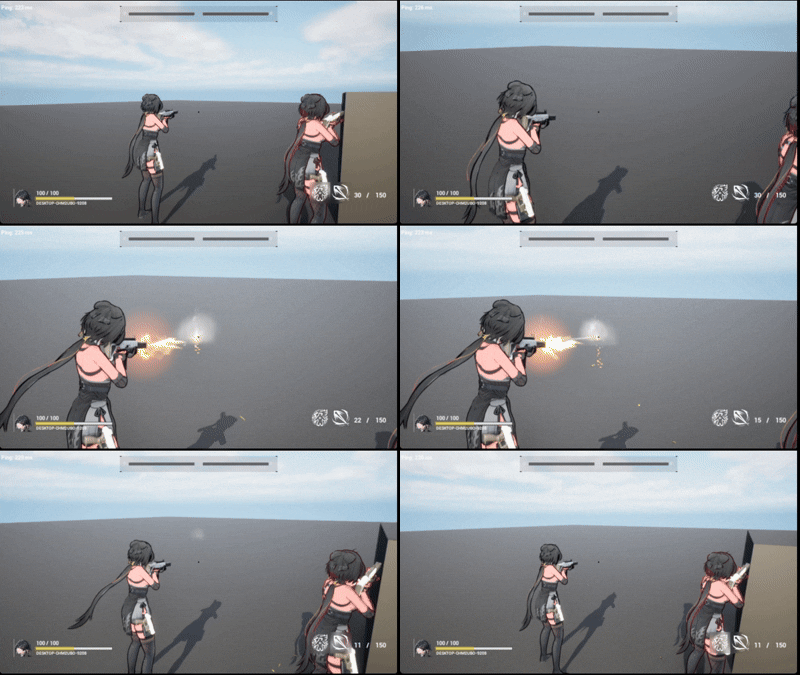
预测前:开火不连续,射速异常
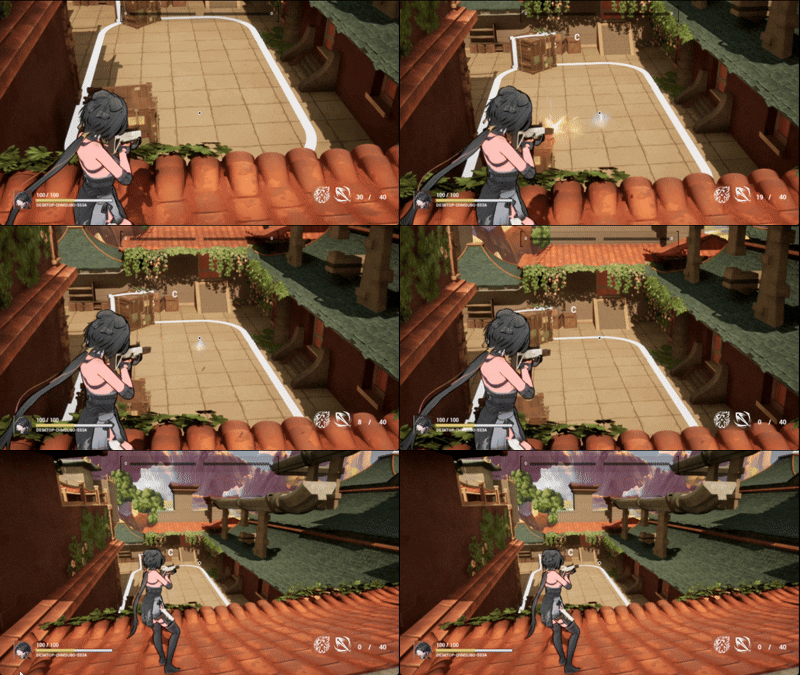
预测后:开火连续,射速稳定
GAS预测框架的不足
在GAS中,已经为我们提供了一套LocalPredict的方案,但这套方案仍有不完善的地方,例如,它无法预测GameplayEffect的Remove,所有GE的Remove都需要服务器来同步,本地不能提前执行。
这对于开火这一短时间多次触发的技能来说,是有较大问题的。
我们假设这样一个场景:Server和一个Client联机,一个RTT是20ms,射击的开火间隔也是20ms:
- 客户端玩家触发开火,向服务器发出开火请求。
- 10ms后服务器接收开火,在服务器上的客户端控制的玩家触发开火,服务器开始对开火玩家施加冷却GE.
- 20ms后客户端同步开火,并接受了冷却GE,此时服务器冷却GE还剩10ms。
- 30ms后服务器开始向客户端传递移除冷却的指令。
- 此刻突发网络延迟,一个RTT更新为60ms。
- 60ms后客户端接收移除冷却GE的命令,可以再次开火。
在这样一个完全ServerIntiated的场景下,客户端开火本身有20ms延迟,客户端的实际冷却有40ms.
即使没有RTT变为60ms的网络波动,也会存在额外10ms确认的网络延迟,总冷却有30ms.
对于短时间内高频多次触发的技能在使用CooldownGE的情况下,对网络延迟较为敏感,因此必须使用自己的冷却计算方式。
Fornite的开火也并没有使用CooldownGE,而是采用自定义的方式。
开火演出相关行为拆解
一般的开火行为在视觉上包含:角色开火Montage+武器开火Montage+开火音效+武器开火粒子+武器子弹弹出粒子+子弹生成+摄像机抖动。
子弹行为:命中音效+命中粒子+弹孔生成。
以上行为均需要完成本地预测。
GAS的预测机制
GAS 自带 客户端预测(Client-Side Prediction) 功能,用于减少网络延迟带来的卡顿与“延时反馈”问题。
它的核心思想是:
客户端不需要等待服务器批准就能“预测性地”执行操作(如激活技能、应用效果、播放动画),之后由服务器验证结果并同步状态。
客户端激活一个技能时,会立即执行包括:
- 激活技能(Ability Activation)
- 应用 GameplayEffect(例如伤害、加速、消耗)
- 播放动画、音效、视觉效果(Montage / GameplayCue)
- 修改属性值(Attributes)
- 添加标签(GameplayTags)
- 移动(CharacterMovement 自带预测)
服务器稍后(延迟时间后)也会执行同样的技能逻辑,并验证客户端的预测:
- 预测正确:客户端与服务器状态一致,不需要改动。
- 预测错误:客户端“回滚(Rollback)”到服务器的正确状态。
回滚会撤销客户端错误预测带来的副作用(如错误的弹道、错误的血量变化等)。
可预测与不可预测行为
可预测内容包含:
- 技能激活 (Ability Activation)
- 触发事件 (Triggered Events)
- 属性修改 (Attribute Modifiers)
- 标签修改 (GameplayTag Modifications)
- GameplayCue 事件(视觉、音效)
- Montage 播放(动画)
- 角色移动 (CharacterMovement)
不可预测内容包含:
- GameplayEffect 移除 (Removal)
- 周期性效果 (DoTs, HoTs)
- 冷却效果 (Cooldown GEs)
- ActorSpawn
Prediction Key
Prediction Key(预测键) 是一个唯一的整数标识符(int),用于标记客户端所执行的预测性操作,以便服务器之后能识别、验证并与客户端的预测结果进行同步。
一个客户端用户触发本地预测技能时:
- 客户端生成预测键,被称作
Activation Prediction Key. - 客户端通过
CallServerTryActivateAbility()向服务器传递Key. - 客户端在预测窗口执行技能内容。
- 服务器接收Key,并按同一个Key,执行技能,将权威结果(包含Key)返回给客户端。
- 当客户端接收到服务器回传的数据时,会做如下判断:
- 如果服务器返回的 GameplayEffect 的 Key 与客户端自己应用的 Key 一致,表示预测正确。
- 如果没有匹配到,表示预测错误。
- 此时,客户端上会短暂存在:两个相同的 GameplayEffect(一个预测的,一个服务器复制的),系统会自动删除预测版本,保留服务器版本。
- Key失效:服务器返回结果并由客户端确认后,预测窗口关闭。
开火预测代码实现
本代码没有做ServerSideRewind的命中确认,只做了演出效果的预测。
Ability
技能激活本地预测
1 | |
Ability 本身是 LocalPredicted,客户端激活会立即在本地运行ActivateAbility()(预测执行),同时发送激活 RPC 到服务器。也就是说整个函数体在客户端会被执行一次(预测),服务器稍后会重放/验证一次。
子弹生成预测
- 预测键获取
1
const FPredictionKey& PredictionKey = ActivationInfo.GetActivationPredictionKey(); - 预测键生成随机数以统一散射
1
2
3
4
5
6
7
8
9
10
11
if (PredictionKey.IsValidKey())
{
int32 Seed = GetTypeHash(PredictionKey.ToString());
RandomStream.Initialize(Seed);
}
else
{
RandomStream.Initialize(FMath::Rand());
}
const FVector RandVec = RandomStream.GetUnitVector() *
RandomStream.FRandRange(0.f, ScatterSphereRadius); - 无论执行位置,均生成子弹
1
2
3
4
5
6
7
if(ABaseProjectile* Projectile = GetWorld()->SpawnActor<ABaseProjectile>(
GetProjectileClassToSpawn(),
MuzzleLocation,
MuzzleRotation,
SpawnParams
))
{...} - 在服务器生成子弹,设置伤害。
1
2
3
4
if (Character->HasAuthority())
{
Projectile->InitDamage(BaseDamage);
} - 在客户端生成子弹,避免子弹复制,载入预测子弹的Map,并绑定预测子弹销毁的回调函数。 当子弹销毁时,从Map中移除相应的预测子弹:
1
2
3
4
5
6
7
8
9
10
11
12
13
else if (Character->IsLocallyControlled())
{
Projectile->SetReplicates(false);
Projectile->SetReplicateMovement(false);
if(PredictionKey.IsValidKey())
{
PredictedProjectilesMap.Add(PredictionKey, Projectile);
Projectile->OnPredictedProjectileDestroyed.AddDynamic
(this, &UFireAbility::OnPredictedProjectileDestroyed_Callback);
Projectile->SetPredictionKey(PredictionKey);
}
}当服务器取消技能时,从Map中找到相应预测子弹,移除并Destroy子弹:1
2
3
4
5
6
7void UFireAbility::OnPredictedProjectileDestroyed_Callback(const FPredictionKey& Key)
{
if (TObjectPtr<ABaseProjectile> FoundProjectile = nullptr;
PredictedProjectilesMap.RemoveAndCopyValue(Key, FoundProjectile))
{
}
}当服务器生成权威子弹,试图同步客户端时,预测子弹的客户端拒绝生成:1
2
3
4
5
6
7
8
9
10
11
12
13
14
15
16
17
18
19
20void UFireAbility::EndAbility(const FGameplayAbilitySpecHandle Handle, const FGameplayAbilityActorInfo* ActorInfo,
const FGameplayAbilityActivationInfo ActivationInfo, bool bReplicateEndAbility, bool bWasCancelled)
{
if(bWasCancelled)
{
const FPredictionKey& PredictionKey = ActivationInfo.GetActivationPredictionKey();
if (PredictionKey.IsValidKey())
{
if (TObjectPtr<ABaseProjectile> FoundProjectile = nullptr;
PredictedProjectilesMap.RemoveAndCopyValue(PredictionKey, FoundProjectile))
{
if (FoundProjectile)
{
FoundProjectile->Destroy();
}
}
}
}
Super::EndAbility(Handle, ActorInfo, ActivationInfo, bReplicateEndAbility, bWasCancelled);
}1
2
3
4
5
6
7
8
9
10
11
12
13
14
15bool ABaseProjectile::IsNetRelevantFor(const AActor* RealViewer, const AActor* ViewTarget,
const FVector& SrcLocation) const
{
if (ViewTarget == GetOwner())
{
if (const APlayerController* PC = Cast<APlayerController>(GetInstigatorController()))
{
if (PC->IsLocalController())
{
return false;
}
}
}
return Super::IsNetRelevantFor(RealViewer, ViewTarget, SrcLocation);
}
Montage与Cue
1 | |
ImpactCue预测
子弹命中的粒子与音效在我的项目中同样使用GameplayCue进行同步,由于子弹命中的时候,技能开启的预测窗口很可能已经关闭,所以我不能使用技能的Key来完成预测,只能自定义。
有人可能会疑问,为什么不直接单独写一个本地的命中效果,本地子弹撞击后激活就好了,但实际上非预测客户端接收服务器子弹同步有延迟,当有人低头对着地面开火,很可能子弹还没有同步到客户端,就已经销毁了,客户端无法触发子弹的碰撞,所以Cue需要单独同步。
本地执行Cue
ExecuteGameplayCue在客户端执行时,会向服务器请求再同步给客户端,
于是在ASC中自定义以下本地执行GameplayCue的函数:
1 | |
我们将在预测子弹碰撞触发Cue时使用该函数,而服务器权威子弹碰撞的Cue将依旧使用ExecuteGameplayCue来实现其他客户端的同步。
避免重复播放Cue
由于服务器同样会向生成预测子弹的客户端发送同步命令,如果不加以处理,一次子弹碰撞,生成预测子弹的客户端会执行两次Cue.
在这里,我用了一种很奇妙但管用的方式解决的。
ExecuteGameplayCue的MyTarget是ASC的AvatorActor,而我自定义的本地执行的Cue的函数的MyTarget是ASC的Owner,即PlayerState,所以我靠这个来区分触发Cue的来源,并在预测子弹的客户端提前终止服务器的同步Cue的执行。
1 | |